Getting Started with ISDL
Welcome to the Intelligent System Design Language! ISDL lets you create complete tabletop RPG systems for Foundry VTT using simple, readable code.
What is ISDL?
ISDL automatically generates:
- Interactive character sheets with forms, buttons, and calculations
- Item and equipment systems with drag-and-drop functionality
- Dice rolling mechanics with chat integration
- Game rules automation for combat, leveling, and more
Quick Example
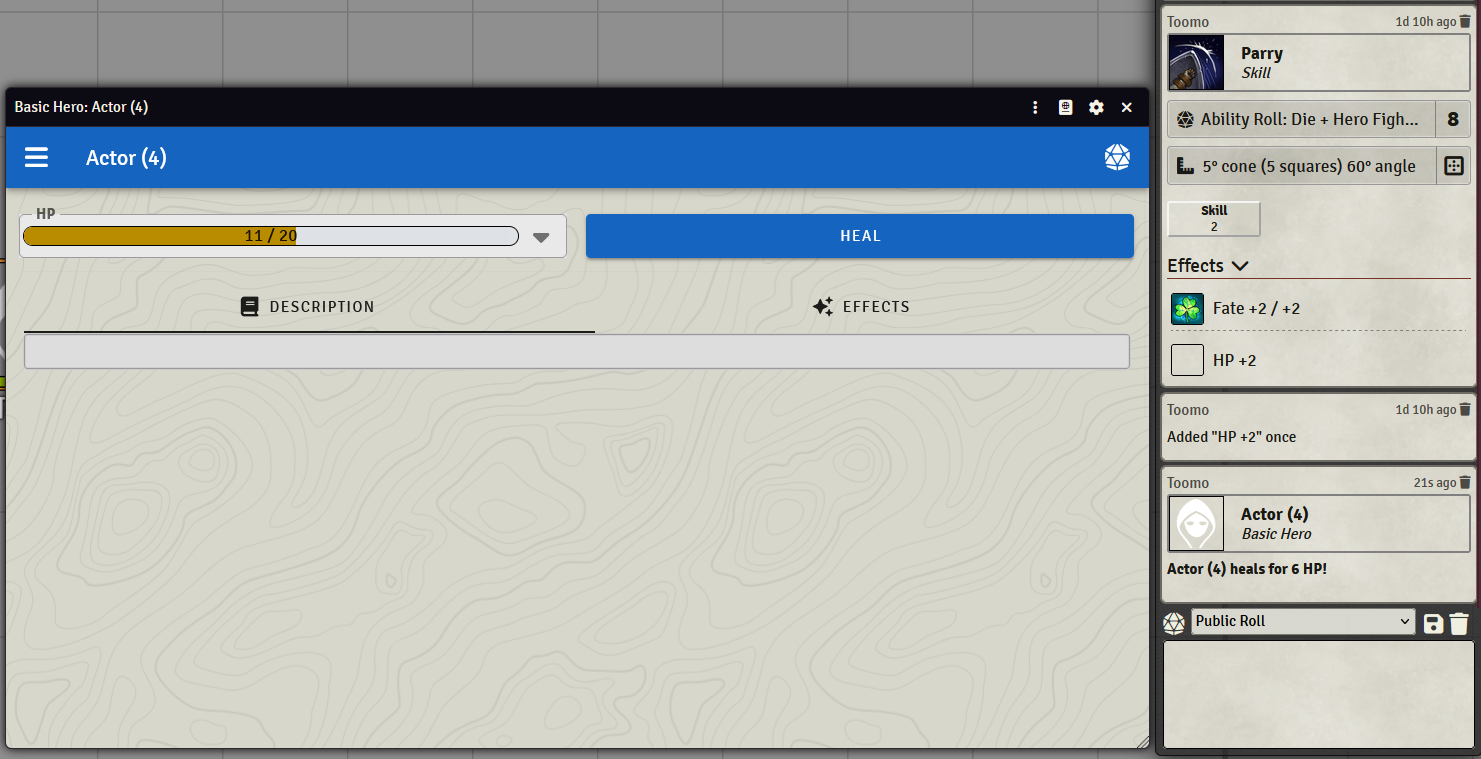
Here's a simple character with health and a healing action:
kotlin
config MyRPG {
    id = "my-rpg"
    label = "My First RPG"
}

actor BasicHero {
    // Name and Description are automatically part of every Document
    health resource HP(max: 20)

    action Heal {
        fleeting amount = roll(d8)
        self.HP += amount
        chat Healing {
            self.Name + " heals for " + amount + " HP!"
        }
    }
}
This creates a working character sheet in Foundry VTT!
Installation & Setup
Requirements
- Visual Studio Code - Free code editor
- Node.js 16+ - Runtime environment
- Foundry VTT - Virtual tabletop platform
Install the VS Code Extension
- Open VS Code
- Go to Extensions (Ctrl+Shift+X)
- Search for "Intelligent System Design Language"
- Install the extension by IronMooseDevelopment
Create Your First System
- Create a new file ending in
.isdl(likemy-system.isdl) - Copy the example above into the file
- Press Ctrl+Shift+P and run "ISDL: Generate"
- Choose your
.isdlfile and your Foundry systems folder as the destination - Launch Foundry and activate your new system!
Prefer the terminal (or a different editor)?
You don't need VS Code to generate a system. Install the CLI from npm and run it from anywhere:
bash
npm install -g intelligent-system-design-language
isdl generate my-system.isdl --destination "/path/to/Foundry/Data/systems"
See the Command Line Interface page for full details, including editor-agnostic editing via the language server.
Learning Path
New to ISDL? Follow this recommended order:
- 📚 Your First System - Complete step-by-step tutorial
- 🏗️ Documents - Learn about actors, items, and structure
- 📝 Fields - Explore all available field types
- 🧮 Basic Logic - Add calculations and simple mechanics
- ⚡ Advanced Logic - Functions and complex automation
- 🎮 Interactivity - Actions, chat cards, and user interaction
Need quick answers?
- 📖 Recipes - Copy-paste solutions for common tasks and RPG mechanics
- 📋 Logic Reference - Complete syntax and function reference
Examples and Resources
- Example Systems - Real ISDL files you can study
- GitHub Integration - Publish and share your systems
- Config - System configuration and metadata
Get Help
- Troubleshooting - Fixes for common setup, generation, and Linux/editor issues
- Study the examples in the
examples/folder - Check the Recipes page for common solutions
- Join the community discussions on Discord
- File issues if you find bugs or need features
Ready to create your first RPG system? Start the tutorial!